

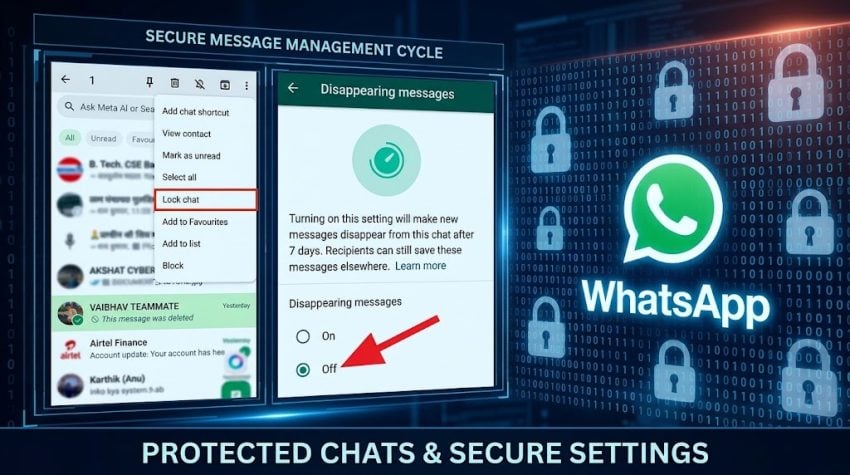
WhatsApp remained among most used app for communication, as tens of millions rely on the Meta-owned platform share private messages, photos, videos, voice notes and personal updates.
While WhatsApp protects personal messages and calls with end-to-end encryption, that does not mean every piece of information on your account is automatically hidden from others. The platform offers a range of privacy and security tools that allow users to decide who can access their chats, profile information and Status updates.
If you have never reviewed your WhatsApp privacy settings, now may be a good time to do so. Here are five settings that can give you greater control over your personal information.
Lock Most Private Chats
Some WhatsApp conversations contain information that you simply do not want appearing in your regular chat list. That is where Chat Lock comes in.
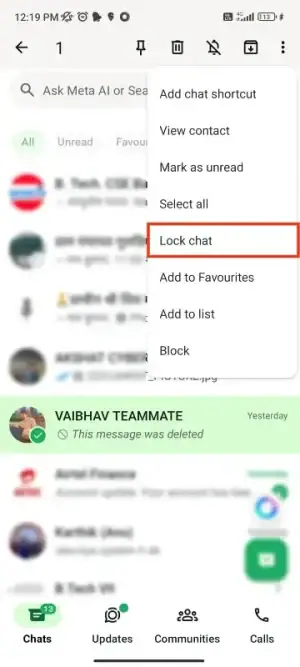
The feature allows users to move selected conversations out of the main chat list and place them in a separate Locked Chats folder. Access to those conversations can be protected using the phone’s authentication system, such as a passcode, fingerprint or Face ID, depending on the device.
WhatsApp says the person on the other end of the conversation is not notified when a chat is locked. Users can also create a Secret Code to provide another layer of protection. The Locked Chats folder can even be hidden, making the conversations accessible only when the secret code is entered.
Check Profile Picture Privacy
Your WhatsApp profile picture is visible information, and depending on your privacy settings, it may be available to a much wider audience than you realize.
WhatsApp allows users to decide exactly who can view their profile photo. The available choices include Everyone, My Contacts, My Contacts Except… and Nobody. If you do not want your picture visible to people outside your trusted circle, changing this setting can immediately reduce its exposure.
To review it, go to:
Settings → Privacy → Profile Photo
Alert: New WhatsApp Hack scam targets iPhone Users in Pakistan (VIDEO)
Extra Lock on WhatsApp
Even if your phone is protected with a passcode or biometric authentication, adding another layer of protection to WhatsApp can help prevent someone from casually opening the app.
The platform’s App Lock feature can require biometric authentication before WhatsApp opens. On supported iPhones, users can use Face ID or Touch ID, while supported Android devices can use fingerprint or other available authentication methods.
WhatsApp also allows users to determine when the app should lock. Importantly, locking the app does not stop users from receiving calls or responding to messages through notifications.
For people who regularly use WhatsApp Web, an App Lock option is also available, allowing the desktop or web version to be protected with a password and configured to lock automatically.
‘View Once’ Frature
Not every photo or video needs to remain permanently available in a chat.WhatsApp’s View Once feature is designed for media that you want the recipient to open once rather than keep in the conversation.
When a supported photo or video is sent using View Once, it disappears after being opened. The feature can be useful for sharing sensitive or temporary content, but users should remember that it is not a guarantee that the information can never be captured.
Once someone can see content, there is always a possibility that they could reproduce it using another device or share information in another way. For that reason, View Once should be treated as an additional privacy measure—not a substitute for caution when sharing sensitive material.
Limit Your Status
Your WhatsApp Status may reveal more about your life than you intend. A seemingly harmless photo from a holiday, workplace, family gathering or even your home can reveal information about where you are, what you are doing or who you are with.
WhatsApp therefore gives users control over their Status audience. Instead of automatically sharing every update with everyone in your contact list, users can adjust their privacy settings and choose who should be able to view their Status.
Your WhatsApp Could Be Hacked Today as NCERT issues alert for THESE Links
Status updates disappear after 24 hours, but they remain visible to the selected audience during that period. It is worth reviewing this setting regularly, particularly if your contact list includes people you no longer know well or rarely communicate with.
Disappearing Messages
There is one more privacy feature users may want to consider: Disappearing Messages. WhatsApp allows users to set new messages to disappear after 24 hours, seven days or 90 days.
This can help reduce the amount of old conversation history that remains in a chat, particularly for conversations that do not need to be stored indefinitely.
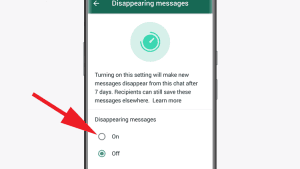
However, disappearing messages should not be viewed as a foolproof privacy solution. Certain messages can be kept, while backups and forwarded content can also affect what remains available.
WhatsApp already uses end-to-end encryption to protect personal messages and calls, but users still have considerable control over what information is visible through their accounts. Your WhatsApp account can contain years of private conversations, personal photographs, family updates and sensitive information.
Rather than relying on default settings, take a few minutes to review your privacy controls.
WhatsApp Hack Alert: Your messages might already be compromised